Apple MacBook Air M4 Review: The Clear Verdict
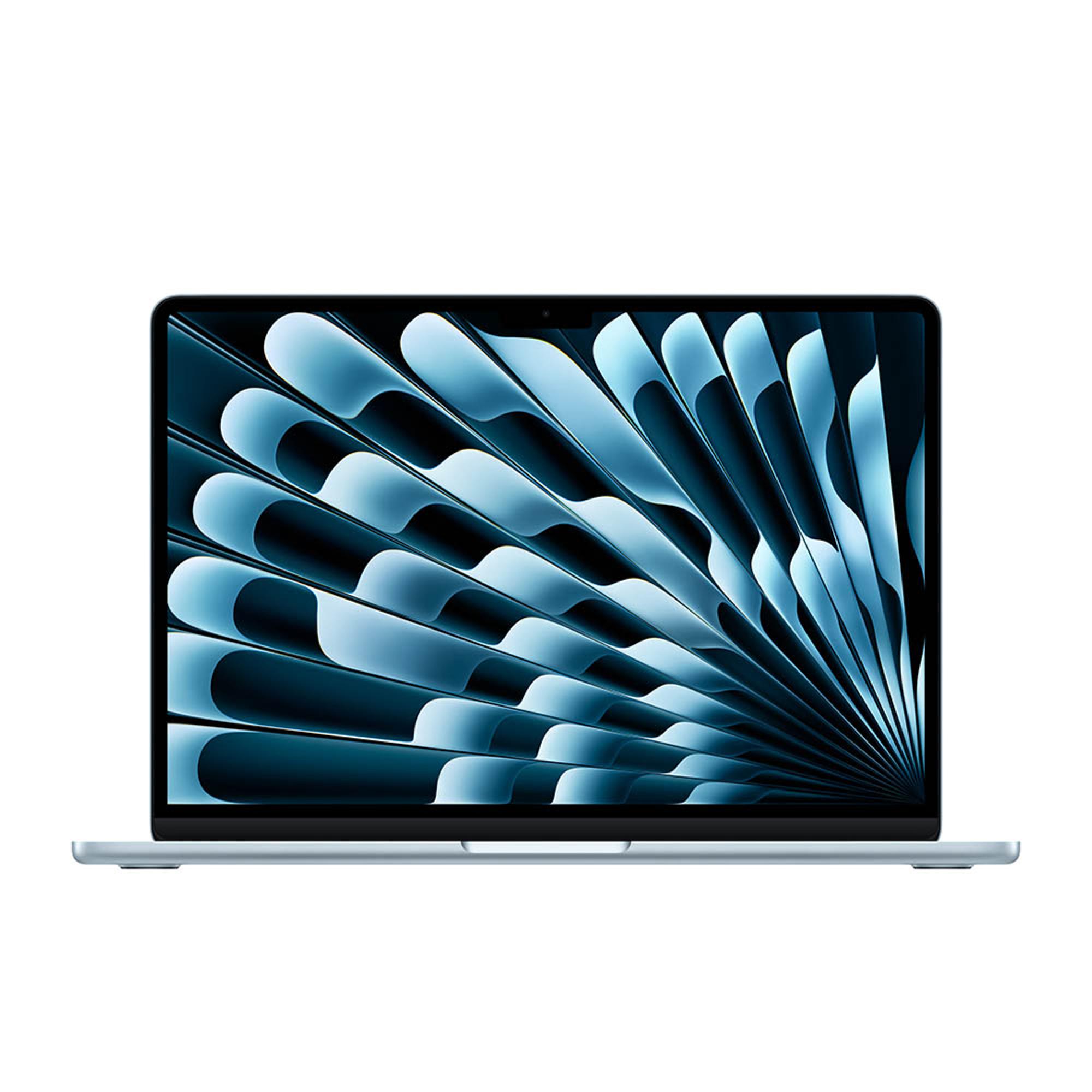
Product image · Source
"A no-brainer, no-fuss recommendation for most people," according to The Verge.
What reviewers loved
- The M4 brings clear performance gains: The Verge measured CPU and comparable GPU results around 20 percent above the M3, with its Blender test finishing nearly twice as fast.
- Battery life comfortably covers a working day. TechRadar recorded 14 hours and 51 minutes of web browsing on the 13-inch, while PCMag measured 18 hours and 31 minutes on the 15-inch.
- The thin, fanless design stays highly portable and completely silent, while reviewers praise the keyboard, haptic trackpad and bright 500-nit display.
- Two external 6K monitors now work while the built-in screen remains active, fixing a notable limitation of the M3 model.
- The $999 starting price includes 16GB of unified memory, making the base machine better value than its predecessor.
What held it back
- Port selection remains sparse: there are only two Thunderbolt 4 USB-C ports, both positioned on the left side.
- The glossy 60Hz display has no nano-texture option, so buyers who want a matte surface or faster refresh rate must look elsewhere.
- The base model includes only 256GB of storage, and CNET calls Apple's $200 charge for a 512GB SSD upgrade "semi-outrageous."
- The unchanged fanless chassis can warm up under load; WIRED reported slight overheating during its review.
Apple MacBook Air M4 key specs
| Sizes | 13.6-inch and 15.3-inch |
|---|---|
| Processor | Apple M4 with 10-core CPU |
| Graphics | 8-core GPU on the base 13-inch; 10-core GPU on the 15-inch |
| RAM | 16GB unified memory |
| Base storage | 256GB SSD |
| Display | 500-nit IPS display; 2560 x 1664 on 13-inch and 2880 x 1864 on 15-inch |
The short version
Reviewers agree that the M4 MacBook Air is the default laptop recommendation for most Mac buyers. The M4 delivers meaningful performance gains, battery life remains excellent, and the base configuration now includes 16GB of memory. Apple also cut the starting price and added proper dual-monitor support with the laptop open. The trade-off is familiar: just two USB-C ports, a glossy 60Hz display, limited base storage and no nano-texture option.
What reviewers say about the Apple MacBook Air M4
WIRED, TechRadar and The Verge agree that Apple has kept an already successful design and improved the parts that matter. Critics report faster M4 performance, an upgraded webcam, 16GB of base memory and better external-display support. TechRadar calls the 13.6-inch screen vibrant and sharp, while The Verge praises the keyboard, haptic trackpad, microphones and speakers.
The 13-inch is the easier choice for students and frequent travelers, while CNET argues that the 15-inch should be the default for buyers who want more workspace without paying MacBook Pro prices. PCMag also notes that the 15-inch model's six-speaker system is better suited to movies and video calls. Neither size is a radical redesign, and reviewers consistently flag the limited ports, glossy display and costly storage upgrades.
Best settings for the Apple MacBook Air M4
The supplied professional reviews do not include a published settings or calibration guide for the MacBook Air M4. No unverified setup values are listed.
Buy it if you want a light, silent Mac with all-day battery life, strong everyday performance and enough power for occasional video editing or light 3D work.
Skip it if you need lots of built-in ports, sustained workstation performance, inexpensive storage upgrades or a matte high-refresh display.
Also consider
14-inch MacBook Pro
Choose the Pro if your work needs more sustained processing power or the optional nano-texture display. CNET says the Air is the better-value choice when M4 Pro-level performance is unnecessary.
MacBook Air M3
The M3 remains similar in design, but The Verge reports that the M4 is around 20 percent faster in comparable CPU and GPU tests. The M4 also supports two external displays without closing the laptop.
Should you buy the Apple MacBook Air M4?
Yes, for most people shopping for a Mac laptop around $1,000. Critics broadly describe the M4 MacBook Air as fast, light, quiet and dependable, with excellent battery life and a better base configuration than before. The 13-inch makes the most sense for portability and price, while the 15-inch provides more working space and stronger speakers without crossing into MacBook Pro pricing. Budget for more storage if 256GB will not be enough, and choose a Pro instead if ports, sustained heavy workloads or a matte display matter more than portability.
See our best Computing picks.
How we build this review
We read 5 professional reviews from WIRED, CNET, TechRadar, PCMag, The Verge. We don’t test units ourselves — we distill what critics agree on. Every claim is cited.
Sources
RightWei aggregates and summarizes independent reviews — we link to the original hands-on tests so you can go deeper. We don’t test units ourselves.
Re-checked July 2026